
Overview
The players’ free companion, on their phone.
LotoAsso Play shows the drawn numbers on your phone, marks your cards automatically and alerts you when one of them wins. It works without an account and with any paper card.
| Mode | For which loto | Drawn numbers |
|---|---|---|
| I have a QR code or a LotoAsso code | A loto run with LotoAsso Live. | Received live. |
| Start freely | Any loto. | Marked by hand by the player. |
Join a game
The hall’s QR code, a code to type, or a link from your player area.
With the QR code or the code
Open lotoasso.com/play and tap I have a QR code or a LotoAsso code.
Tap Scan the QR code and point at the QR shown in the hall (Point at the QR code in the hall).
The QR is on the projection screen, on the organizer’s poster, or shared by the organizer.
Or type the code in Enter the loto code (format
XXXXX-XXXXX, the dash is added automatically), then Join the game.Codes never contain 0, O, 1 or I: no confusion possible.
| Message | What to do |
|---|---|
| Invalid code. Expected format: DF6MT-UE5TG. | The code does not have 10 characters: check what you typed. |
| Invalid code. Please check the code with the organizer. | Unknown code, or changed by the organizer. |
| This link is no longer valid. | The organizer regenerated the code: scan the QR currently displayed. |
| Game unavailable | Play is not open yet for this loto, or your account is not linked to it. |
Add your cards
Three methods: QR, photo or manual entry.
Tap a number to see what each part of the screen does.
| Tab | Best for | How |
|---|---|---|
| Scan | Cards printed by LotoAsso. | Point at the card’s QR: Card no. {n} added. Scan the cards one after the other, then Done. |
| Photo | Any paper card. | Take a photo or Choose a photo, Confirm, then check each grid that was read (Check the cards). |
| Type | When the photo fails. | Tap a cell, pick the number from its column; 5 numbers per row, then Add the card. |
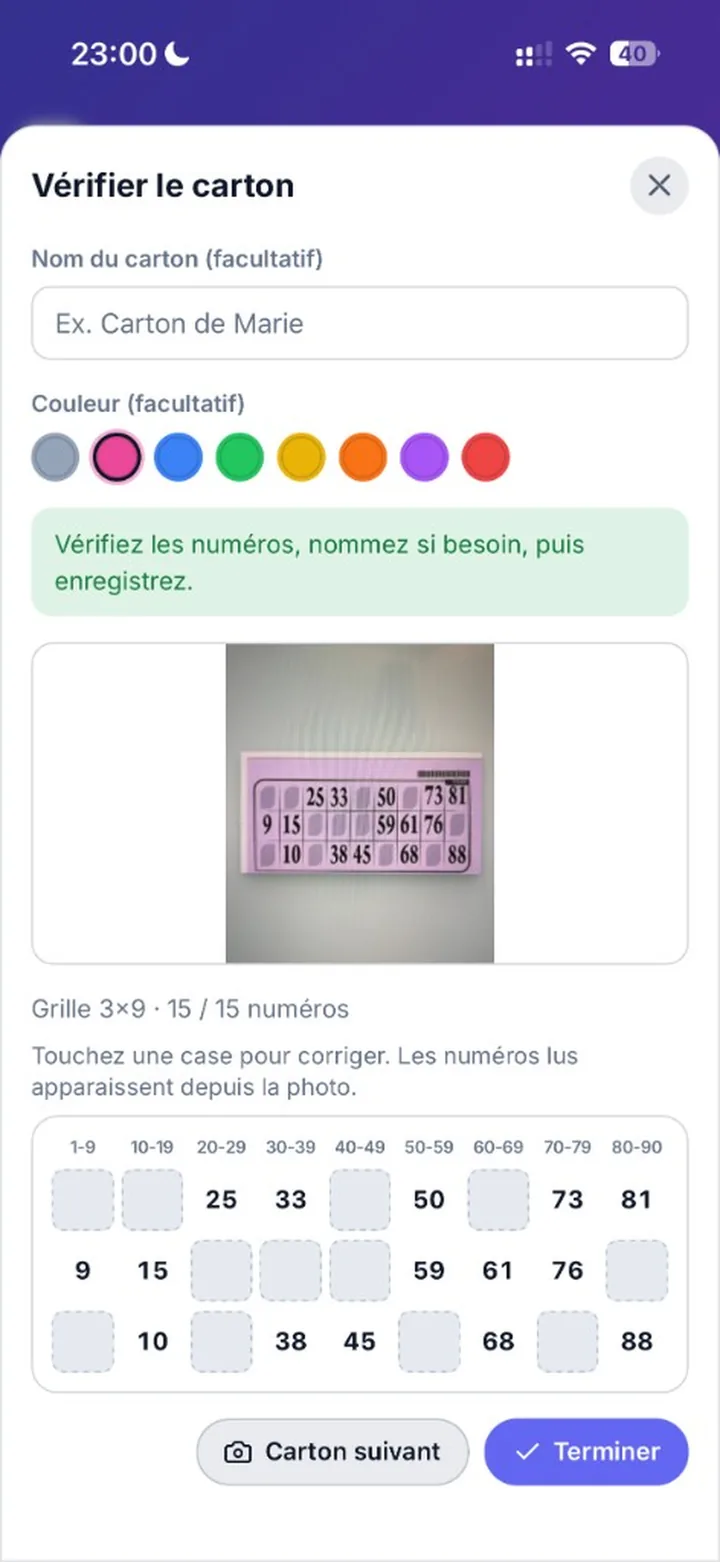
Tap a card’s pencil to Edit card (name, Background color (optional), fix a number) or delete it (Delete this card?).
Follow the draw
Live numbers and automatic marking.
Tap a number to see what each part of the screen does.
In a game linked to LotoAsso Live, each number arrives within moments and marks your cards. The header shows the game and the game type (Game 2 · One line), which change automatically when the host moves to the next step.
Before the first ball, Quine flash keeps you busy: on a practice card, tap each called number before the ring runs out, all the way to a full card. The game closes by itself as soon as the real draw starts, and your best score stays on your phone. It is also on the Play home screen, to warm up before the game.
When a card wins
The Won! alert and what to do next.
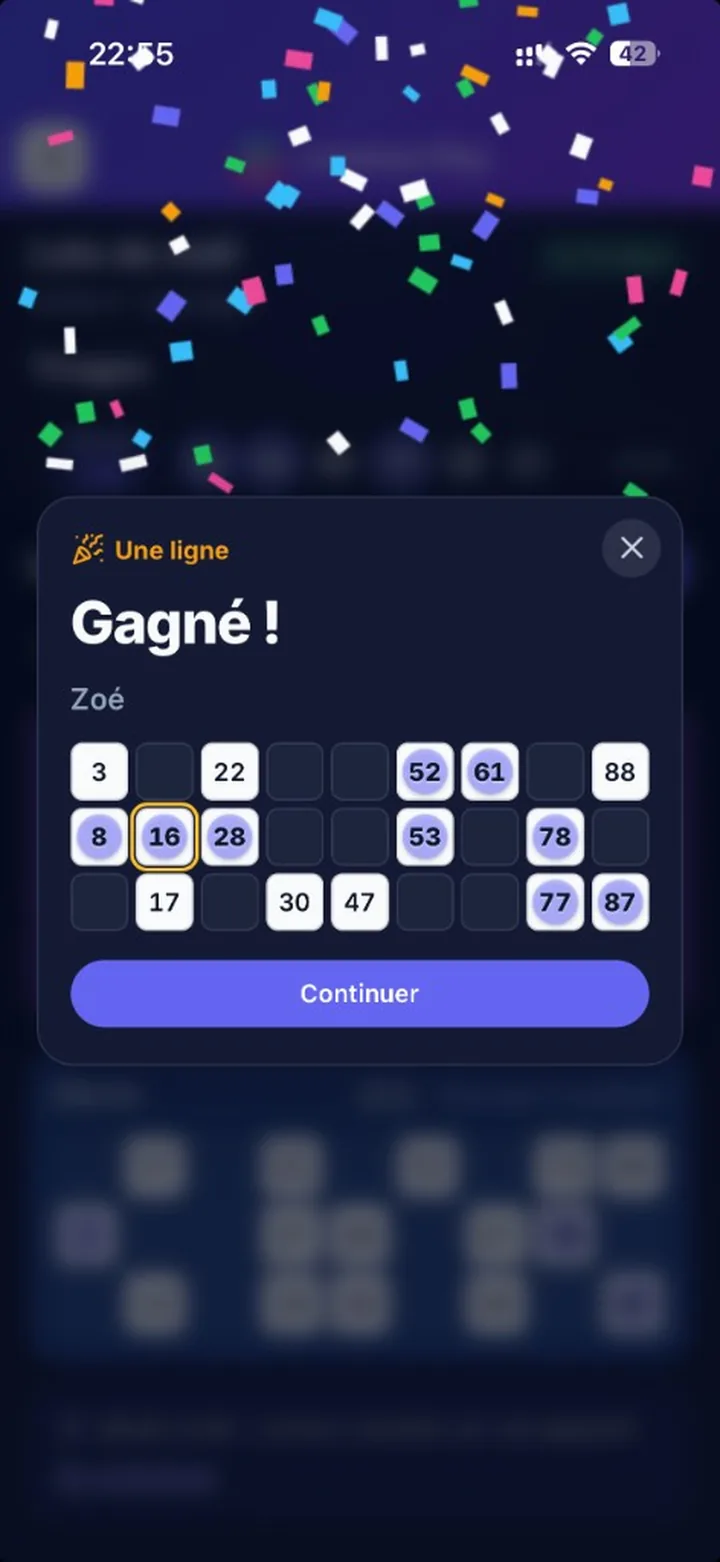
When 3 numbers are missing, the card shows Just 3 numbers left; at 2 or 1, it says which ones (for example One to go: 42) and moves to the top of the list. When it meets the game’s condition (one line, two lines or full card), a One line! screen appears with confetti, sound and vibration (Android): it reminds you to call it out in the hall, shows the card number and the winning grid and, if relevant, N more winning cards.
Call out immediately in the hall, out loud.
Show your paper card to the organizer: they check and validate the win in LotoAsso Live.
Tap Continue to go back to your cards.
Special game: Play shows its name and reminds you to follow the host, who announces the rule in the hall. For a LotoAsso card, the win screen appears once the organizer has confirmed it.
Play a free game
For a loto that does not use LotoAsso Live.
On the Play home screen, tap Start freely.
Choose the Game type: 1 line, 2 lines or Full card.
Add your cards by photo or manual entry (QR scanning is not available in a free game).
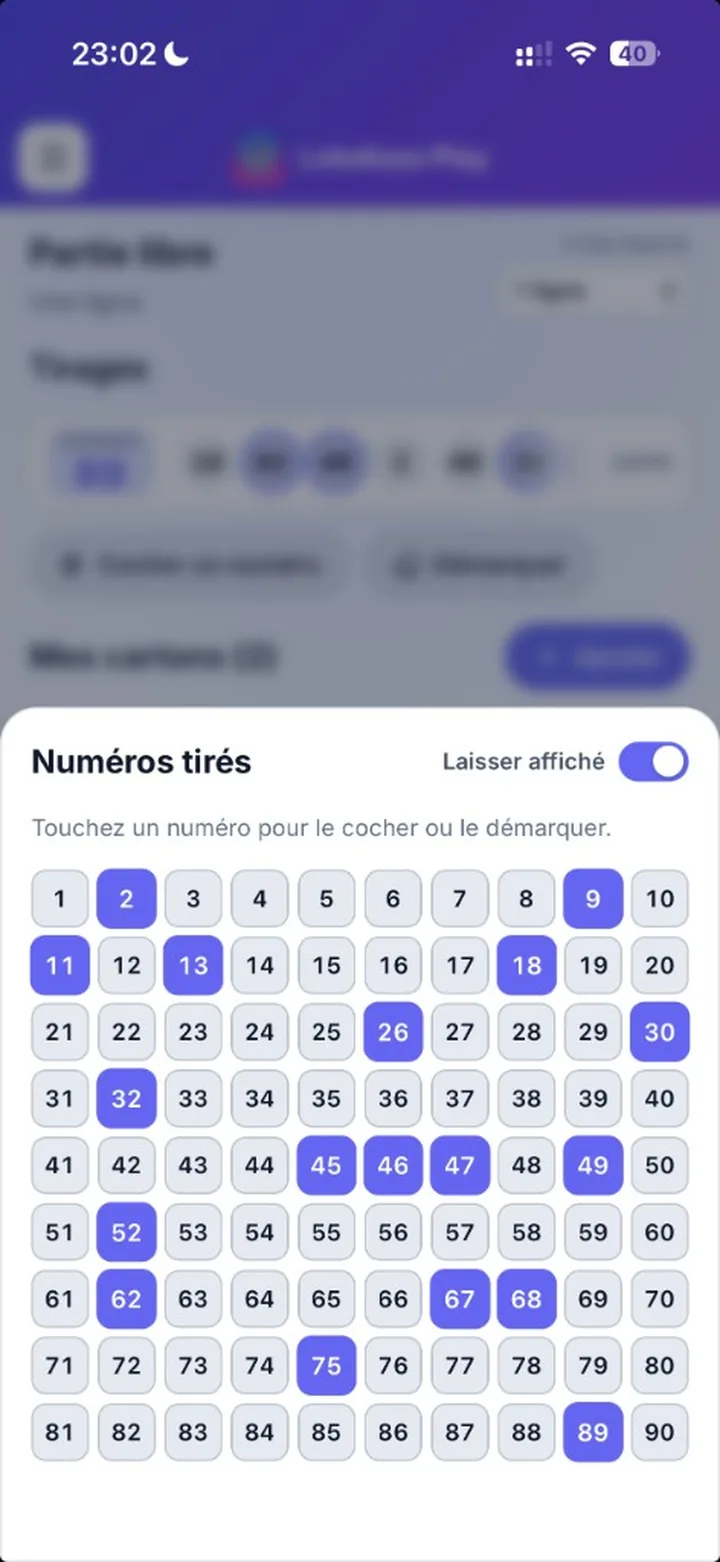
For each number called, tap Mark a number, then the number on the keypad. Turn on Keep open to keep the keypad open.
For a new game, Clear removes all the marked numbers.
Settings and account
Customize the display and understand guest mode.
| Section | Settings |
|---|---|
| Appearance | Light theme / Dark theme, Marker color. |
| Experience | Sounds, Vibrations. |
| Accessibility | Underline numbers, Number size (Small, Medium, Large). |
The menu also offers Replay the tutorial and Add to home screen (on iPhone: Share › Add to Home Screen).
Troubleshooting
Camera, photo and connection.
Camera unavailable.
Allow the camera for lotoasso.com in the browser, or use Choose a photo or manual entry.
QR not recognized.
Use the QR printed on the card (not the hall’s QR) in the Scan tab.
No numbers read.
Move closer, lay the card flat and avoid glare.
Too many photos read. Please wait a few minutes.
Photo reading is limited to prevent abuse: wait a little or type the grid in.
Numbers stop arriving.
If the badge shows Reconnecting…, your phone lost the network: check Wi-Fi or mobile data. If it shows Waiting, the host is not broadcasting yet. If it shows Paused, LotoAsso Live is closed or offline on the organizer’s side: numbers will resume as soon as it reconnects.